How to Find If a Product is in Stock: The Complete Retail, Warehouse & Inventory Guide
✨ This article was AI edited. Editorial responsibility: The Future Warehouse.
Finding out whether a product is in stock across modern retail and e-commerce supply chains requires understanding how real-time inventory management systems (IMS), enterprise resource planning (ERP) databases, and omnichannel stock feeds interact. From consumer-facing stock checkers and SKU trackers to back-end warehouse inventory auditing and safety stock buffers, locating verified product availability is a science of data synchronization.
The Anatomy of Product Stock: On-Hand vs. Available-to-Promise (ATP)
When consumers or procurement managers check product availability, they often encounter inventory discrepancies. In professional supply chain operations, inventory is divided into distinct operational categories:
- Physical On-Hand Inventory: The exact quantity of physical units currently resting inside a specific retail store, fulfillment center, or warehouse racking tier.
- Available-to-Promise (ATP): The uncommitted portion of inventory that sales channels can promise for immediate shipment or customer pickup, subtracting active cart reservations and open orders.
- Safety Stock & Shrinkage Buffers: Retailers frequently implement an artificial threshold (e.g., 2–5 units) that displays an item as “Out of Stock” online to prevent stockouts caused by store shoplifting, inventory misplacement, or simultaneous purchases.
- In-Transit / Pipeline Stock: Goods moving from distribution centers to local retail branches via linehaul freight, often visible in store back-end terminals but not yet scanned into retail sales floors.
Retail Stock Availability Methods Matrix
The following structured comparison outlines the primary mechanisms used by retail and e-commerce platforms to verify real-time stock availability:
| Lookup Method | Data Source | Update Latency | Reliability Level | Best Use Case |
|---|---|---|---|---|
| In-Store Point of Sale (POS) Lookup | Local Store Database | Real-time (<1 sec) | Very High (95%+) | Confirming physical shelf location with store associate |
| Third-Party Inventory Aggregators (e.g., BrickSeek) | Retailer Inventory APIs / Scraping | 15 min – 6 hours | Moderate (70–80%) | Multi-store clearance and regional stock hunting |
| Retail Mobile Apps (In-Store Mode) | Omnichannel Inventory Engine | Real-time (1–5 min) | High (85–90%) | Aisle mapping and local store stock verification |
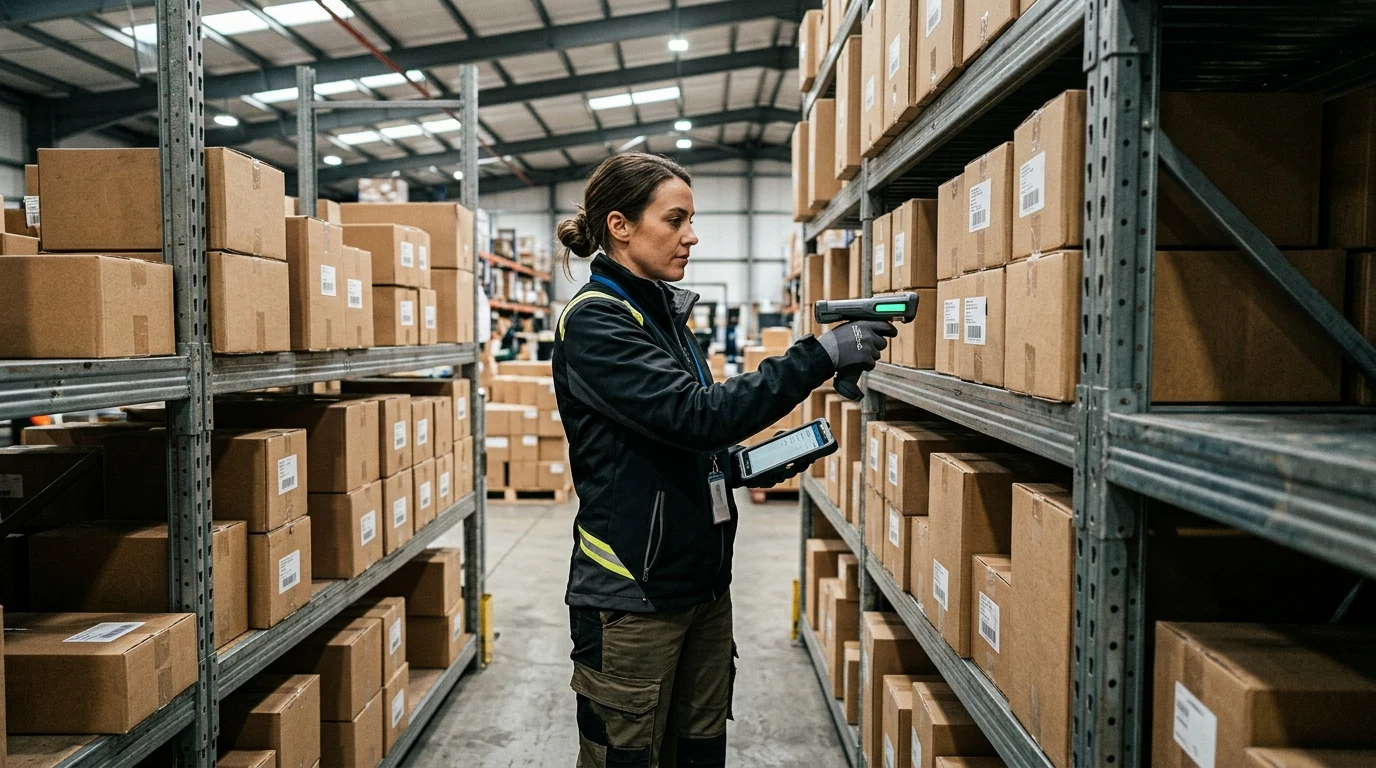
| Barcode / UPC Scanning | Warehouse Management System (WMS) | Instantaneous | Near Perfect (99%+) | Warehouse picking and pallet allocation |
Step-by-Step Guide: How to Verify Stock Like a Supply Chain Pro
1. Extract the Exact Product Identifiers (SKU, UPC, and Model Number)
Product names and search titles frequently vary between retailers. To ensure precise tracking, locate the universal identifiers:
- SKU (Stock Keeping Unit): The retailer-specific alphanumeric code (e.g., Walmart Item ID, Target DPCI, Home Depot Internet #).
- UPC / EAN (Universal Product Code): The global 12- or 13-digit barcode that remains identical across all merchants.
- Manufacturer Part Number (MPN): Crucial for electronics, automotive, and hardware components where slight model variations exist.
2. Utilize Direct Retailer Inventory APIs and Store Pickers
Modern major retailers (Walmart, Target, Best Buy, Home Depot) expose store-level inventory through their mobile applications. When set to a specific store location, the app queries the local inventory management software:
- Open the retailer app and set your primary store to the target location.
- Search by the exact SKU or scan the barcode from a web image.
- Look for the specific aisle and bay number (e.g., “Aisle A14, Bay 3”)—if an aisle is listed, the item is physically mapped in the store planogram.
- If the app indicates “Limited Stock” or “Only 1-2 Left”, the item may be in a customer’s cart or located in the receiving dock awaiting unpacking.
3. Leverage Warehouse LPN and Serialization Tracking
In high-velocity fulfillment environments, products are not tracked solely by generic SKUs, but through serialized License Plate Numbers (LPNs) attached to individual totes and master cartons. To learn how modern distribution centers manage item serialization, read our guide on LPN tracking and warehouse optimization strategies.
Why Stock Indicators Show False Positives (Ghost Inventory)
Have you ever seen an item listed as “In Stock” online, only to arrive at the store and find an empty shelf? In warehouse and retail logistics, this phenomenon is known as phantom inventory or ghost stock. Common root causes include:
Theft and Unrecorded Shrinkage
If an item was stolen or damaged and discarded without an associate performing an inventory write-off scan, the ERP system continues to count the unit as available.
Unprocessed Inbound Shipments
When a pallet arrives at a distribution dock and receives an initial manifest scan, the system may count the goods as on-hand before the carton is physically broken down and stocked onto picking shelves.
Cross-Dock Staging and Hold Holds
Items may be staged in the rear loading bay awaiting customer return processing or commercial transport. To understand how carrier hubs handle package staging, explore our detailed breakdown of holding packages on delivery trucks and carrier routing rules.
Automating Stock Alerts and Back-in-Stock Notifications
For high-demand merchandise, gaming consoles, collectibles, or critical industrial parts, relying on manual page refreshes is inefficient. Supply chain specialists and savvy consumers utilize automated webhooks and alert services:
- Retailer Native Restock Alerts: Subscribing to “Notify Me When Available” triggers automated SMS/email alerts via the retailer’s transactional inventory service.
- Browser Automation & Web Monitoring: Tools such as Visualping or Distill.io monitor specific HTML elements (e.g., the “Add to Cart” button class) and ping users when DOM changes indicate available stock.
- Dedicated Stock Trackers: Services like NowInStock, HotStock, and BrickSeek monitor retailer backend endpoints every 60 seconds.
The Future of Real-Time Inventory Visibility
Next-generation distribution centers are rapidly adopting RFID sensor networks, automated drone inventory cycle counting, and computer vision cameras that scan shelf facings autonomously. To discover how automated vision and robotics are revolutionizing stock accuracy across modern supply chains, read our in-depth analysis on technologies shaping Future Warehouse 5.0.
Get our latest guides, news, and insights highlighted in your Google Search & AI Overviews.